How to install RIDE on Debian 11
RIDE is the Integrated Development Environment for Robot Framework. It's a good idea to have nice debugging tools for your projects, so this is a guide on how to install those on Debian 11.
Kalle Tolonen
13.7.2022
Requirements
- Debian 11
- Knowledge in Linux
- Salt
Salt State to install all the required pkg’s
I made a Salt state to install all the pkg’s in source 1.
robot-pkgs:
  pkg.installed:
    - pkgs:
      - dpkg-dev
      - build-essential
      - python3-dev
      - freeglut3-dev
      - libgl1-mesa-dev
      - libglu1-mesa-dev
      - libgstreamer-plugins-base1.0-dev
      - libgtk-3-dev
      - libjpeg-dev
      - libnotify-dev
      - libpng-dev
      - libsdl2-dev
      - libsm-dev
      - libtiff-dev
      - libwebkit2gtk-4.0-dev
      - libxtst-dev
You can learn more about Salt and Infrastructure as Code here. The way to do this without Salt is to just install all the above pkg’s manually with apt-get.
sudo apt-get install -y pkg1 pkg2 pkg3 etcRequirements.txt
My requirements look like this for my project:
wxpython
wheel
pygame
robotframework
robotframework-ride
Running RIDE
After installing the system pkg’s and environment pkg’s I could start ride quite easily from my project’s top directory:
ride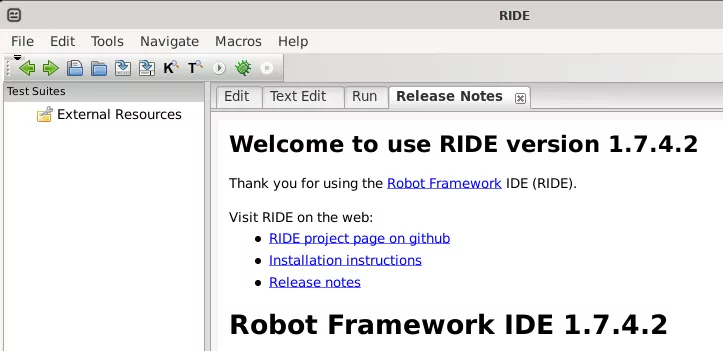
Sources
Comments
No published comments yet.
Add a Comment
Your comment is held for review before it appears publicly.